The short version
- At firms using automated tax preparation software, admin staff routinely handle 80-95% of prep work. The licensed preparer (CPA or EA) picks up at review.
- Admin owns: collection, scan, extraction, validation, and pushing the prepared data into Drake, Lacerte, ProConnect, CCH Axcess, or another professional tax software.
- The licensed preparer owns: judgment calls, professional opinion, final review, the signature, and client communication on tax positions.
- The math gets easier: admin-grade roles are easier to hire, ramp, and retain than experienced preparers, and the 90% of work that doesn't require a licensed preparer's training stops paying for one.
Why I'm writing this
For 6 years I ran a tax practice the old way. Every return funneled through the senior CPA, which was me, because I was the only one who could be sure the data on the page matched the data in the return. Then I built Juno to take the data-checking work off the senior preparer, and watched what shifted at my own firm and at the firms I talk to weekly on the Modern Tax Pros podcast.
The shift, in one line: prep moved off the licensed preparer's desk and onto the admin's.
This post walks through what that actually looks like, where the 90% boundary sits, and how to tell if your firm is set up to absorb it.
What "tax prep" actually means in an AI tax preparation workflow
When firm owners say "prep," they usually mean a chain of about 8 discrete tasks:
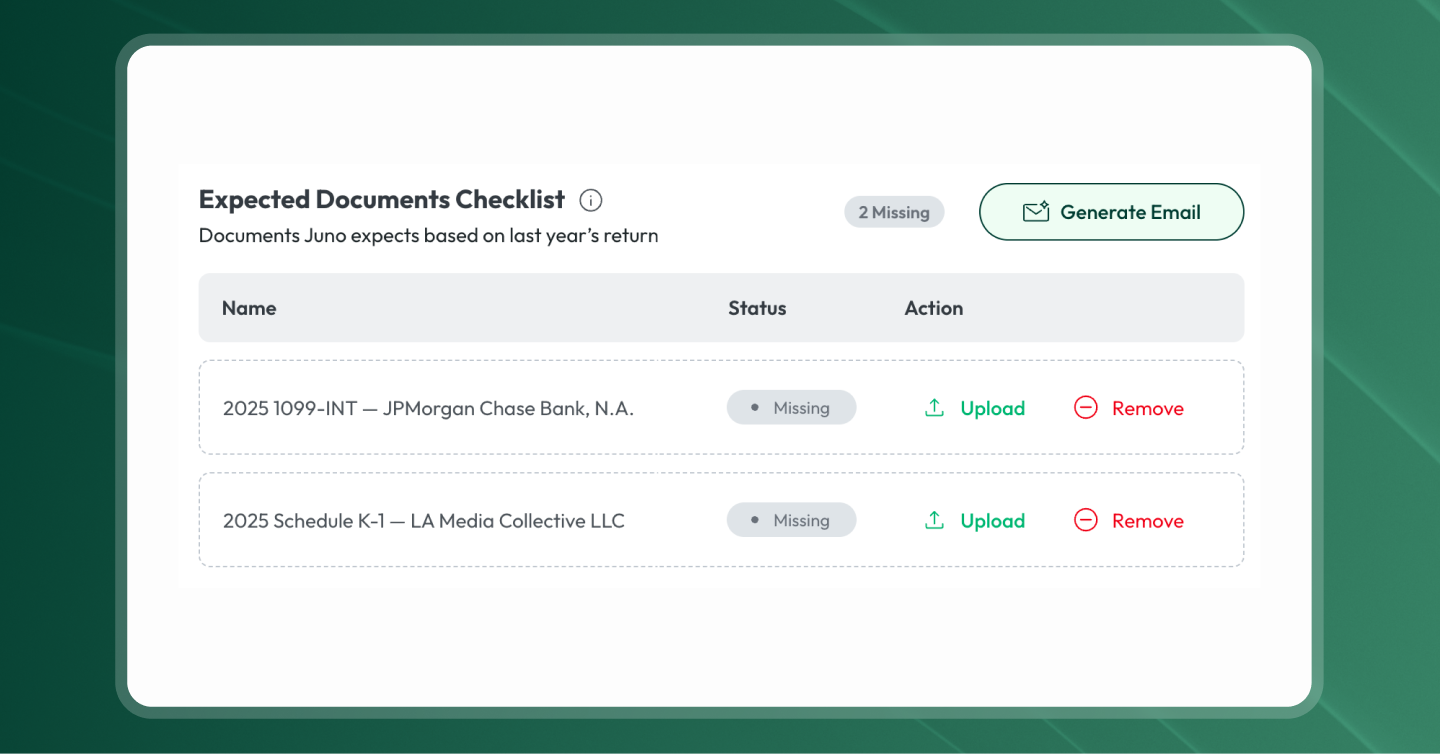
- Collect documents from the client (practice management portal, email, paper drop-off)
- Scan and digitize anything that arrived as paper
- Read each document and extract the data points that matter
- Validate the extracted data against the source
- Compute anything that needs computing (depreciation roll-forwards, basis tracking, multi-state allocations)
- Push the prepared data into Drake, Lacerte, ProConnect, CCH Axcess, or whichever professional tax software the firm uses
- Review the return against the source documents
- Sign and file
With AI tax preparation software, steps 2 through 6 stop requiring a tax preparer. An admin running a checklist can own them. Steps 1, 7, and 8 still need the licensed preparer's judgment, and they're the only steps that ever did.
The 90% line in automated tax preparation software
When a firm runs prep with Juno, the day-to-day division of labor looks like this:
The admin owns:
- Pulling documents from the client portal or paper intake
- Scanning to digital where needed
- Running the documents through Juno to scan and populate the tax software
- Validating Juno's extraction against the source PDFs (a checklist task, not a judgment task)
- Pushing the prepared data into the firm's professional tax software
The licensed preparer still owns:
- Anything requiring professional judgment (a basis question on a K-1, an unclear election, a multi-state allocation that depends on facts the client hasn't shared yet)
- Final review of the return against the source data
- The signature
- Client communication on positions
That's the 90% line. The 10% the licensed preparer still owns is the only 10% that ever needed a licensed preparer's training in the first place.
What admin-led tax prep looks like in practice
The framing I hear from firm owners is remarkably consistent: push the work that doesn't require licensure down to people whose time costs less. Evan Stich, a partner at CMPD Wealth Advisory Tax and a Juno customer, put it directly on our December K-1 webinar:
"Juno really helps us push down the work to just a lower cost personnel." Evan Stich, Partner, CMPD Wealth Advisory Tax
That's the operating principle. Two firm examples from people I've watched make the shift.
Golden State Accounting (my own firm). When we standardized on Juno, our operations lead Mili Borzini took over the front end of every return. Mili joined the firm without a tax background. The first structural change was that the workpaper and the tax return stopped being two separate jobs:
"You're actually eliminating two points of entry: one being the work paper, and one being the tax return. It keeps your brain fresher." Bonnie Fenton, CPA reviewer, Golden State Accounting
Across the firm, prep time on a typical 1040 dropped by about 50%, and I stopped being the chokepoint on every return.
Freedom Accounting and Tax (Rocky Lippold's firm). Rocky, a Juno customer in Southwest Missouri, absorbed an 850-client firm last season, including 250 Amish farm Schedule F returns. He added exactly one employee:
"By taking over that firm, we added one employee, is all we added. I won't say it wasn't hard, it was, but I can't imagine doing that without 3 other people if we hadn't had some technology running." Rocky Lippold, Owner, Freedom Accounting and Tax
The intake at his firm is admin-driven. By the time the client has finished filling out their organizer at the front desk, the receptionist has already scanned the documents, pushed them into Juno, and pushed the extracted data into Drake. The preparer picks up a return that's already in reviewer mode.
The same pattern shows up at firms half Rocky's size. Zach Amatore, who runs Amatore & Co. with his father Tony and is a Juno customer, described how the split works across a small team:
"During tax season, everybody gets on, does what they need to do, gets it pushed through, and then the tax preparers, the tax professionals go through and review the data inside Drake." Zach Amatore, Amatore & Co.
The firm can be small, growing fast, or absorbing an acquisition. The split holds: admin (or a lower-cost preparer) drives the return through Juno, and the licensed preparer picks up at review.
Is automated tax preparation accurate enough for admin-led prep?
This is the first question every firm owner asks. Two parts to the answer.
The extraction is accurate. Juno extracts about 150 fields per return on average. On the hardest tax documents (multi-hundred-page brokerage statements, scanned paper, multi-account 1099s), the latest accuracy benchmark is 99.9%+. Low-confidence reads get flagged on a validation screen, where the admin compares the extracted value against the source PDF in one view.
The final review is still human. Juno's Reviewer module runs an AI pass on the return that flags source-to-return mismatches, missing forms, and inconsistencies. The licensed preparer still owns the final read, the professional opinion, and the signature. What they stop doing is the transcription work upstream of that final review. Their hours go to judgment, not data entry.
For the deeper mechanics of how the extraction and validation work under the hood, read What is AI tax preparation?.
What admin-led tax prep means for firm hiring
The traditional path was: hire a fresh CPA or EA out of school, pay $60K, work them 60 hours a week for 4 months, hope they don't burn out before they become useful. That math has been broken for a while.
Admin-grade roles ramp faster (a structured checklist is easier to train than a tax preparer's intuition), cost less, and retain better (the hours are saner, the work is bounded). The 90% of work that doesn't require a licensed preparer's training stops paying for one.
Admin-led tax preparation FAQ
Can non-licensed staff actually prepare tax returns?
Non-licensed staff can do everything in the prep chain except sign the return. That's the legal line. With automated tax preparation software handling the extraction, validation, and push to tax software, the rest of prep is a checklist task that doesn't require a CPA's or EA's training. The licensed preparer still reviews and signs.
What does the licensed preparer still review?
The whole return. Juno's Reviewer module runs an AI pass on the return that catches source-to-return mismatches upstream, but the licensed preparer still reads it in full, catches anything that needs a professional opinion, and signs. The AI review makes the human review faster and more focused on judgment; it doesn't remove it.
What kind of admin background works best for prep?
I've seen this work with bookkeepers, receptionists, and people who came in with zero tax background. The common trait is comfort with a checklist and attention to detail. A tax background isn't required and sometimes makes onboarding slower (the old habits of typing data into a tax program have to be unlearned).
Is this risky from a quality standpoint?
The risk in traditional prep is that a senior preparer transcribes data from a PDF and makes a typo no one catches until an IRS notice. Admin-led prep with validation built in catches more of those errors at the source-to-return stage, before the return is filed. The quality bar moves up, not down.
Ready to try AI tax preparation software on your firm's returns?
Start 5 free preparations of AI tax preparation software built by a CPA, trusted by 1,000s of tax pros.
7-day trial. No credit card required.
Curious what Juno's AI tax prep could do for your firm? Built by a CPA, trusted by 1,000s of tax pros. Book a demo.