A firm asked us for this back in January: a clear checklist of the documents a client still owes you, pulled straight from last year's return, in language a client can actually read. Then a second firm asked. Then it was in half my demos. So we built it, and it went live a couple of weeks ago. It takes one of those genuinely annoying problems off your plate, and those are my favorite kind to build.
If you prep returns, you know the limbo. A client sends over a pile, you start, and halfway in you realize the K-1 never came. Or the second brokerage 1099. Or the SEP contribution someone flagged 3 weeks ago and then forgot. Figuring out what's missing was never the hard part. The hard part is that nothing holds that list for you, and nothing tells you until you're already deep in the return. Multiply that by a few hundred returns and it's real time, and real risk.
How the expected document checklist works
It's simple by design:
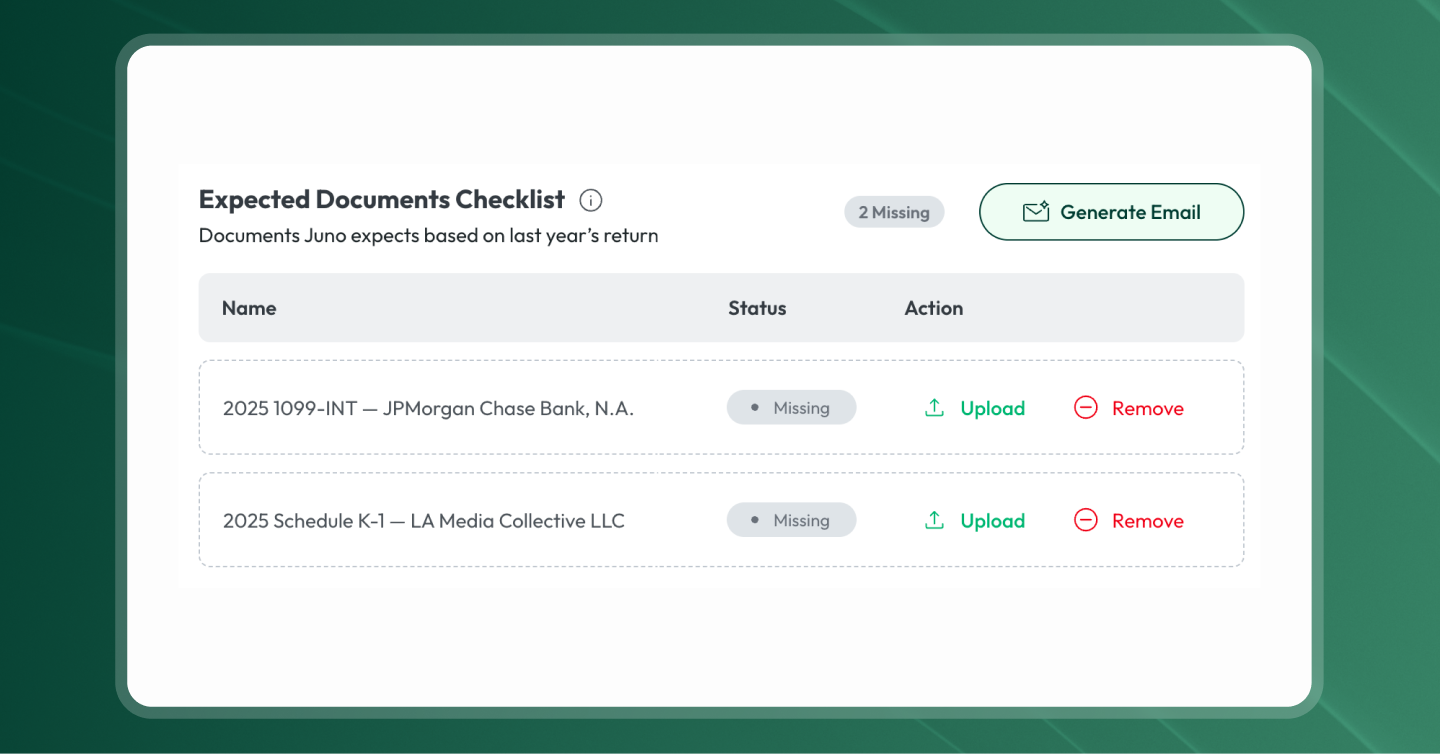
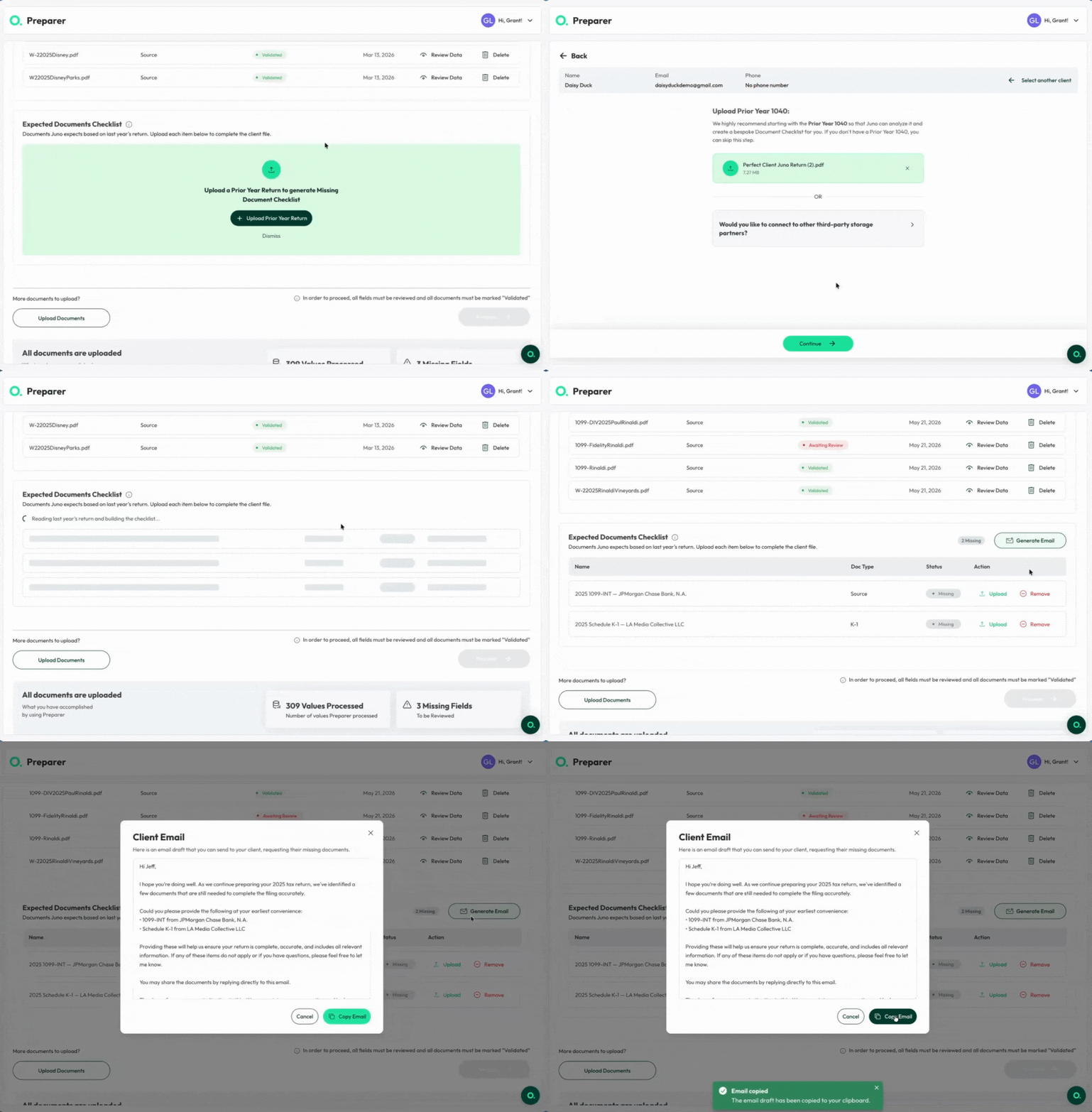
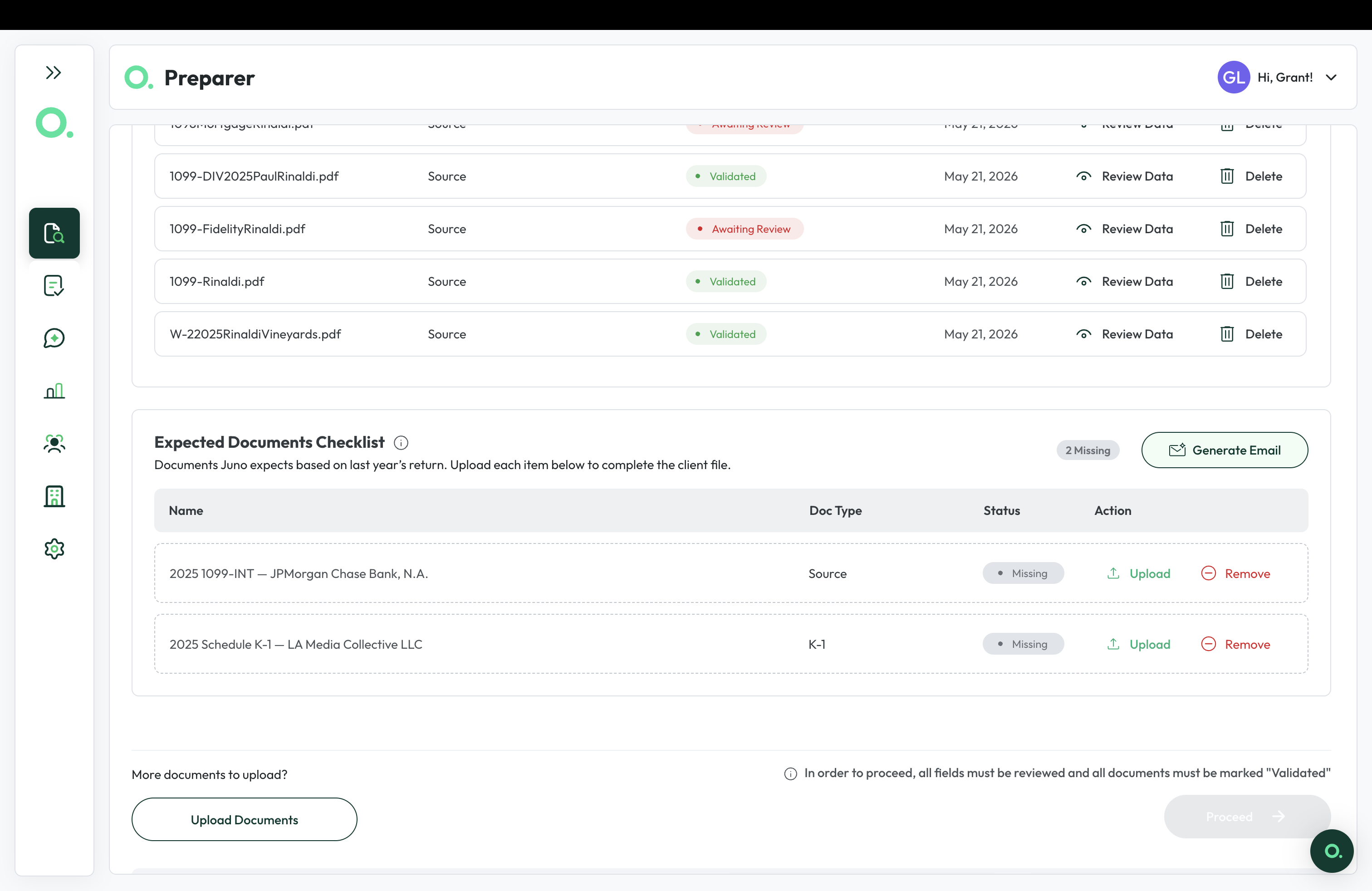
- Upload a client's prior-year return. Juno reads it and builds a checklist of every document that return included: each W-2, 1099, K-1, and the rest.
- Documents check themselves off as they arrive. However they come in, whether you upload them, they land through your practice management portal, or the client sends them in 4 separate emails at 11pm, Juno recognizes each one and clears it from the list.
- What's left is what you're still waiting on, with a running count at the top so you can see it at a glance.
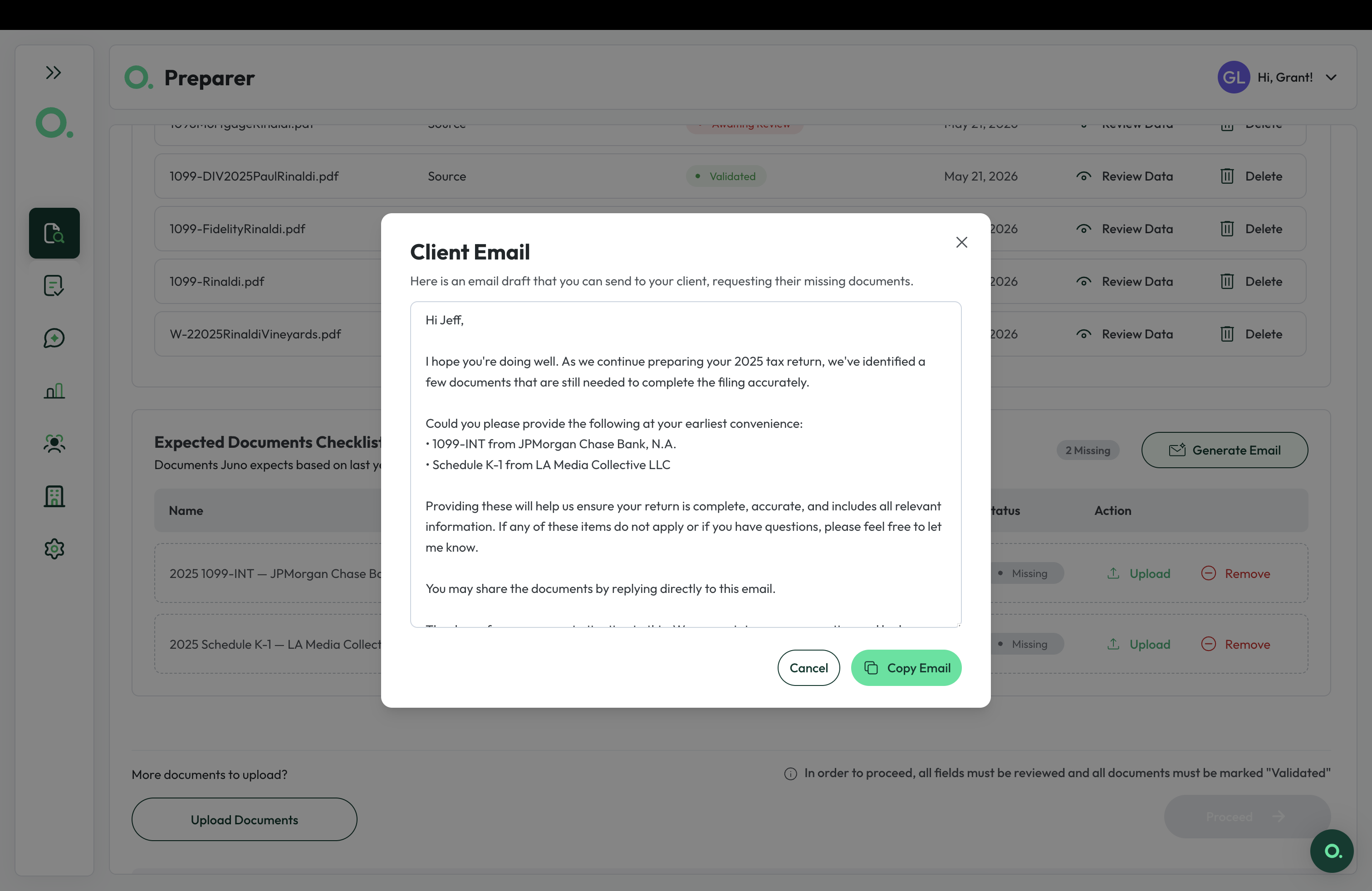
- When you're ready to ask, one button drafts the email. Juno writes a client-ready note that names each missing document, for you to send on your terms.
Why it matters
The value isn't the checklist for its own sake. It's that you know, at intake, exactly what you have and what you're still owed. No holding it in your head. No half-remembering whether the second K-1 came in. The return stops sitting in the "waiting on something, not sure what" pile, and starts moving.
There's a workflow win, too. When a missing document doesn't surface until review, the whole return slides backward: out of the reviewer's hands, back to the preparer, days after it looked done. Catching it at intake keeps things moving in one direction. A preparer or an admin sees the gap up front, so nobody reopens a return that was nearly finished.
One preparer at a mid-size firm said it better than our product brief did:
"This becomes the missing info list that we've been using, basically, like in our notes." – a preparer at a mid-size firm
Their team was already doing this by hand, going back through each return, spotting the 1099 that showed up last year but not this one. Now Juno catches it at intake and holds the list, so nobody rebuilds it in a notes doc on every return.
The email writes itself, but you still send it
Here's the part I think is genuinely cool. Once you can see what's outstanding, the follow-up is basically done for you. Hit generate email and Juno drafts a client-ready note naming each missing document, ready to paste into your email or drop into your practice management automation. And the draft stays synced to the checklist, so you're not asking a client for something that already came in.
The first time a customer saw it generate the email on one of their own returns, the reaction was immediate:
"That's freaking cool." – a growing firm using Juno
You can use it on any client right now
You don't have to wait for a new return to try this. Upload a client's prior-year return and the checklist populates, whether it's a brand-new client or one already sitting in your Juno queue.
We built this because you asked
I'll tell you exactly where this came from, because it's how we build. We heard it from firm after firm: the missing-document scramble was slowing every return down. So we built what they described, start to finish.
So if there's a piece of your day that Juno should be handling and isn't, tell us. The requests we hear the most are the ones that get built. This one started as a single ask in January.
If you're already on Juno, pull up a client and upload last year's return. The checklist will show you what's still outstanding before you start prepping. Here's the step-by-step walkthrough.
New to Juno? Start 5 free preparations and let the checklist show you what's still missing.