
The short version
- AI tax preparation runs as one connected workflow: client documents flow in, AI extracts the data, the preparer validates it, the system generates the workpaper, the preparer pushes the data into the tax software, and a second-pass review layer flags items on the draft return before the senior reviewer signs.
- The shift from manual prep isn't one big change. It's a small change at every step.
- The numbered walkthrough below is what the workflow looks like inside a firm using Juno today.
- For the broader category overview, see What is AI tax preparation?.
Why I'm writing this
Tax prep isn't one task. It's a chain of about eight discrete tasks, and AI changes some of those tasks while leaving others where they were. I'm Dave Haase. I built Juno, AI tax preparation software for CPA firms, after running my own tax practice for years. That experience taught me exactly which steps in the chain change with AI, and which stay with the human. This post walks through the chain, end to end.
I also host the Modern Tax Pros podcast, so the customer voices in this post are people I've talked to on the show or worked with directly.
How AI tax preparation works, step by step
Step 1: Client uploads source documents
The client uploads their W-2s, 1099s, K-1s, brokerage statements, and the rest of the source documents to wherever your firm collects them: a practice management portal (TaxDome, Karbon, Canopy, Firm360), a document storage platform (Box, SmartVault), or however your firm intakes returns. The documents land in one place instead of scattered across email threads, paper folders, and last-minute drop-offs. (Juno doesn't sit between you and the client. The client uses the system you already use.)
Step 2: Documents flow into Juno
If your practice management or document storage platform is integrated with Juno (TaxDome, Karbon, Box, SmartVault, and more), the documents move in automatically. If not, an admin or junior preparer drags them into Juno directly. Either way, this step doesn't require a tax background. The work is moving files, not classifying them.
Step 3: Juno extracts the data
Juno reads the documents and extracts the relevant fields. 100+ document types are supported, with about 150 fields extracted per return on average. W-2s, the 1099 family, K-1s in full (including footnotes and supporting schedules), brokerage statements, mortgage interest, retirement distributions, Social Security, business return docs, the full mix.
Extraction accuracy on most professional-grade documents sits between 95% and 99%. Low-confidence reads are flagged for human verification on the next step.
Step 4: Preparer validates the extraction (first-pass review)
This is where the preparer confirms Juno's work. The validation screen shows the value Juno extracted next to the source PDF, with a confidence score on each field. Low-confidence reads are surfaced first.
What the preparer is checking depends on the return type:
- For 1040s, the focus is data validation. Did Juno read box 1 of the W-2 correctly? Did the 1099-B's gain/loss come through right? Did the K-1 come through accurately, including footnotes and supporting schedules? The preparer is confirming source-to-return accuracy, field by field, with the source PDF beside them.
- For business returns (1120, 1120-S, 1065), the focus is mapping. Juno pulls the P&L and balance sheet from QuickBooks (or Xero, TaxDome, or drag-and-drop) and reclassifies the chart of accounts into tax-return categories. The preparer's job is confirming the mapping is right for this client. Should this entertainment account land on meals (and trigger 50% disallowance), or somewhere else? Should this expense category roll up into "other deductions" or break out separately?
Either way, this is the preparer's per-return time, and it's typically a few minutes per return instead of the hour-plus that hand-keying took.
Step 5: Juno generates the workpaper and binder
The workpaper builds automatically as a byproduct of the prep work. For business returns, the Excel workpaper has the original P&L and balance sheet, all adjustments, notes, and supporting detail, with every value tied back to its source. For 1040s, the workpaper format follows your firm's preference (Excel or PDF). The PDF binder packages the workpaper alongside the source documents themselves, so everything sits in one place for review.
Either format keeps the audit trail intact. Pick up the return next year, and the trail is still there.
Step 6: Push to tax software
Juno pushes the extracted, validated data directly into your professional tax program. Drake, Lacerte, ProConnect, CCH Axcess, and more.
Most exports run in under a minute. The data lands in the right fields on the return. No retyping.
Step 7: The preparer kicks off Juno Reviewer on the draft return
Once the return is built in the tax software, the preparer downloads the draft return and uploads it back into Juno. This is where Juno Reviewer runs the deeper review on a return that already has tax-software calculations applied to it:
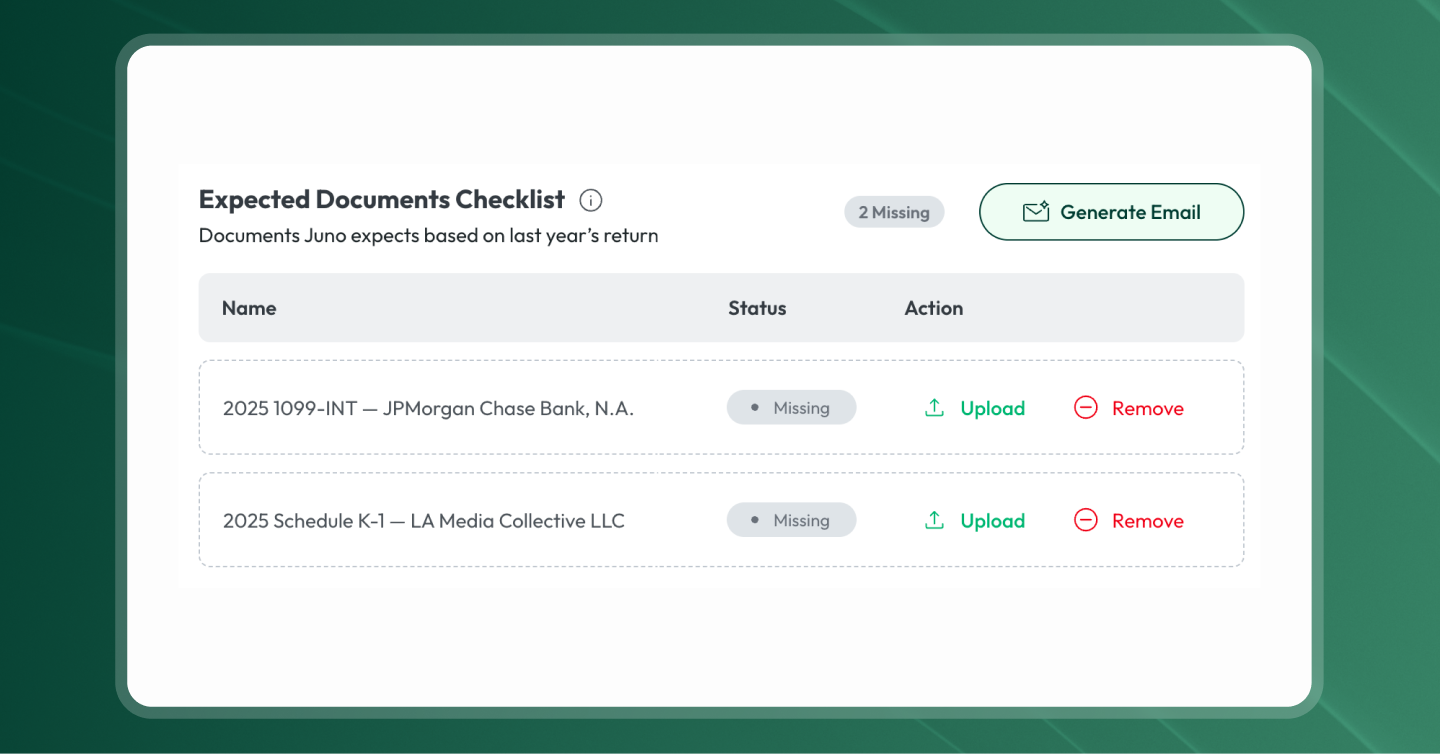
- Missing forms. Items that prior-year context suggests should be on this year's return but aren't.
- Year-over-year changes. Line items that have shifted significantly compared to last year and warrant a second look.
- Customizable per-firm gotcha checks. The checks your firm runs every busy season (state-specific quirks, election timing, common client-specific traps), wired into Reviewer once and applied to every return after.
Juno Reviewer generates a review plan with the flagged items. The preparer works through the items, resolves what they can, and exports the review plan as a checklist.
Step 8: Senior reviewer signs and files
The senior reviewer gets the draft return plus the resolved checklist from Reviewer. Instead of starting from scratch, they're working from a curated list of what's been handled and what still needs their judgment. K-1 footnotes, complex elections, client-specific calls. They review, sign, and file in the tax software.
That's the loop, end to end.
Manual tax prep vs. AI tax preparation, at each step
| Step | Manual tax prep | AI tax preparation with Juno |
|---|---|---|
| 1. Document intake | Client emails PDFs, drops folders, brings paper | Client uploads to your practice management portal or doc storage; the documents are now in one place |
| 2. Document handling | Preparer downloads, renames, sorts into client folder | Documents flow into Juno automatically via integration, or get dragged in by an admin |
| 3. Data extraction | Preparer opens each PDF, reads each field, types into tax software | Juno extracts ~150 fields per return across 100+ document types, including full K-1s with footnotes |
| 4. Validation (first-pass review) | Preparer cross-checks each field against the source PDF, line by line | Juno surfaces low-confidence reads; preparer confirms data accuracy (1040) or QuickBooks-to-tax mapping (business returns) |
| 5. Workpaper and binder | Preparer hand-builds workpaper in Excel, organizes source docs separately | Juno generates the workpaper (Excel or PDF, depending on return type) and packages source docs into a binder |
| 6. Push to tax software | Preparer types or imports data into Drake, Lacerte, ProConnect, CCH Axcess, and more | Juno pushes the extracted data directly into the return |
| 7. Deeper review | Reviewer rechecks every field from scratch, scans for missing forms, year-over-year changes, transposed numbers | Juno Reviewer analyzes the draft return from the tax software and flags missing forms, year-over-year changes, and per-firm gotcha checks |
| 8. Sign and file | Senior reviewer rechecks the full return and signs | Senior reviewer reviews the draft + resolved checklist, signs, and files in the tax software |
What changes when your firm runs this workflow
Admins can run the prep step
Once the data entry stops being a tax-knowledge task, the people in your firm who handle scheduling, intake, and client communications can run the prep step end to end. They're not making tax decisions. They're moving returns from "documents arrived" to "ready for a reviewer."
Inside Golden State Accounting, our operations lead Mili Borzini, who joined without a tax background, runs the front end of every return:
"I'm not a tax preparer, so I don't really know much about the prep side, but it makes it so easy for just the administration staff. It tells you where to look in the document to be able to validate everything." Mili Borzini, Operations Lead, Golden State Accounting
A return takes Mili 15 minutes to an hour, depending on document load. That used to be a senior preparer's job.
The senior reviewer gets a handoff, not a from-scratch audit
When Juno Reviewer has already flagged the items that need attention on the draft return, the senior reviewer is no longer doing the prep work twice. They get a return that's already been prepped and a checklist showing exactly what's been resolved and what still needs their judgment.
This also changes who at the firm can participate substantively in the tax process. David Blain of BlueSky Wealth Advisors, an integrated tax-and-wealth-advisory firm and a long-time Juno customer, on what this shift means for his team:
"Our advisers now don't have to become little mini CPAs. They participate meaningfully in the tax process." David Blain, Founder and CEO, BlueSky Wealth Advisors
The review step becomes a curated handoff instead of a from-scratch audit, and people who didn't sign up to be tax preparers can still contribute substantively when the workflow is set up right.
K-1s and other complex docs come through clean
K-1s used to be the slowest documents in any return. Page 1 boxes, state pages, footnotes, supporting schedules. Juno reads the full K-1 and validates source-to-return so the preparer's only job is signing off on the extraction.
Evan Stich of CMPD Wealth Advisory Tax (a Juno customer) on what this changed for his K-1 returns:
"I loaded all these K-1s, and you're telling me that it's already mostly validated, and I can push it into ProConnect? It just saves so much time." Evan Stich, CMPD Wealth Advisory Tax
The workpaper produces itself
The workpaper that used to take preparers hours to hand-build now generates as a byproduct of the prep work. Every value tied to its source. Every adjustment documented. Every note attached. Pick up the return next year, and the trail is still there.
Bonnie Fenton, a CPA at Golden State Accounting, on what this changed inside her workflow:
"You're actually eliminating two points of entry: one being the work paper, and one being the tax return. Just getting the high-volume, low-reward data entry parts out of that, you're saving time in two places. It keeps your brain fresher. You're not having to go back and forth between all these documents." Bonnie Fenton, CPA, Golden State Accounting
AI tax preparation FAQ
How long does AI tax preparation take per return?
Juno's processing time per return is around 10 minutes. Human time on top of that is verification of low-confidence reads and the reviewer's pass. Returns with heavy K-1 volume or long brokerage statements can take longer.
What documents can AI read?
100+ document types. W-2s, the 1099 family (1099-INT, 1099-DIV, 1099-B, 1099-R, 1099-NEC, 1099-MISC, and more), K-1s in full (page 1 boxes, state pages, footnotes, supporting schedules), brokerage statements (including long ones with hundreds of transactions), mortgage interest, retirement distributions, Social Security statements, business return source documents like P&Ls and balance sheets, and more.
What about handwritten notes or low-quality scans?
Juno extracts what it can confidently read and flags the rest for human verification. On handwritten totals or low-quality scans, the human still has to make the final call. The tool surfaces what it sees; you decide.
Which tax software does Juno work with?
Drake, Lacerte, ProConnect, CCH Axcess, and more. The push lands the extracted data directly into the right fields on the return inside your professional tax program.
Do I have to change my practice management software to use AI tax preparation?
No. Juno works alongside the practice management software and document storage you already use (TaxDome, Karbon, Canopy, Firm360, Box, SmartVault, and others). If your platform isn't on the integration list yet, an admin can drag documents into Juno directly.
What if Juno gets something wrong?
The reviewer catches it. Juno's review checks flag items that look off, and the human reviewer makes the call on every return. AI accuracy on professional-grade tax data is high but not 100%. The model assumes a human reviewer catches what the AI doesn't, which is the same risk model professional firms have always operated under, just with a much faster first pass.
Can my newest hire run this?
In most firms, yes. Several Juno customers have hired new grads or even people without a tax background and found they ramp much faster on Juno than they would on traditional prep, because the data entry is already done. The work the human is doing is verification, which is easier to train than transcription.
Ready to see this workflow on your firm's returns?
If you're evaluating AI tax preparation software, the test that matters is what happens to your team's hours during the upcoming busy season, and what your reviewers spend those hours on. Juno is tax prep automation built by a CPA, trusted by 1,000s of tax pros.
Curious what Juno's AI tax prep could do for your firm? Built by a CPA, trusted by 1,000s of tax pros. Book a demo.