The short version
- The shift isn't speed. It's where the work happens and who does it.
- An admin can handle 90% of prep when the data extraction is done up front.
- The reviewer still signs. Judgment still sits with the senior preparer.
- Firms that get the most out of AI tax preparation software usually have one thing in common: their processes were already documented before they switched.
Why I'm writing this
For 6 years I ran a tax practice the old way. Paper files, OCR scans that hit maybe half the fields, preparers cross-checking every line by hand, and me reviewing every return because I was the last line of defense.
Then I built Juno to fix the parts that were killing my team, and watched what actually changed.
I also host the Modern Tax Pros podcast, where I talk to firm owners every week. Some are Juno customers. Some are still evaluating. What I'm sharing below is partly my own experience and partly what they've told me on the show.
If you're trying to decide whether to move to AI tax prep, the question worth answering isn't "is it faster?" It's faster. The real question is what shifts inside your firm when the data entry stops being a job.
This post is the side-by-side: across time per return, staff roles, error catching, document handling, and review flow. Then a section on what doesn't change. (Spoiler: the parts that need a human.)
AI tax prep vs. traditional tax prep, side by side
| Dimension | Traditional tax prep | AI tax prep with Juno |
|---|---|---|
| Time per return | Often 1+ hour of preparer time, more on anything with a 1099-B or K-1 | 10 minutes on average once data extraction is done |
| Document handling | Manual saving, renaming, and re-keying. OCR catches a fraction of fields | Juno extracts ~150 fields per return on average and flags low-confidence reads |
| Who does data entry | Preparer or admin, typing line by line | Juno extracts, an admin or junior preparer validates |
| Admin role | Saving and renaming PDFs, sending follow-up emails | Running Juno through extraction, validation, and push to tax software |
| Preparer role | Data entry, form construction, first-pass review | Form construction, judgment calls, first-pass review |
| Review process | Reviewer catches transposed numbers, missing forms, mismatched names | Juno's review checks flag source-to-return mismatches. Reviewer focuses on judgment |
| Error catching | Often caught by an IRS notice 6 months later | Caught at the source-to-field-to-return stage |
| Push to tax software | Manual entry into Drake, Lacerte, ProConnect, CCH Axcess, and more | Juno pushes directly to Drake, Lacerte, ProConnect, CCH Axcess, and more |
| Where the bottleneck sits | Review, because everything funnels through the partner | Judgment work, because everything else is handled |
What changes when your firm moves to AI tax prep
1. The data entry stops being a job
Adam Manning runs Nomadica Solutions out of Georgia, a niche firm serving self-employed contractors, tattoo artists, and small-business owners. He's a Juno customer. Adam's framing on what Juno changed about his per-return cost:
"I can do ten an hour, or fifty an hour. That changes things, and I can pass the savings on to these people." Adam Manning, CEO, Nomadica Solutions
That's the throughput unlock. The work that requires judgment didn't shrink. The work that didn't require judgment moved off the preparer, and the per-return cost dropped to the point that Adam's smaller-fee clients are still profitable.
2. Review stops being the bottleneck
At my own firm before I built Juno, every return funneled through me because I was the senior reviewer. My preparers prepped, I reviewed from scratch, and I was the chokepoint.
What changes when extraction runs first: preparers pick up returns already in reviewer mode. The source-to-return cross-check is done, and the preparer is working from clean data instead of transcribing from a PDF.
When the prep is already clean, the reviewer's hours go somewhere more valuable. Bonnie Fenton, a CPA reviewer at Golden State Accounting, described the shift inside her firm:
"Being able to throw everything into Juno, pump it into the tax return, compare it to last year was so much easier and so much faster. It really allowed us to look at things we might have missed."
The chokepoint moves off the partner. Review becomes a quality check, not a second pass at the prep.
3. The intake step can run end-to-end without a preparer
The role on staff that gets the biggest rewrite isn't the reviewer. It's the intake person. When the prep work is automated, the receptionist who used to scan and route documents can carry the workflow all the way to "ready for review" without a tax background.
Rocky Lippold, who owns Freedom Accounting and Tax in Southwest Missouri and absorbed an 850-client firm with one new hire last season, described the new intake flow:
"While they're filling out the form, the receptionist takes their papers, scans everything in, puts it in TaxDome, puts it into Juno, puts it into Drake. By the time they've got their form filled out, they walk back to the tax preparer, and basically the return's done." Rocky Lippold, Owner, Freedom Accounting and Tax
When intake is end-to-end on the admin side, the preparer's job shifts from data entry to review and judgment. That's where the time goes.
What AI tax prep doesn't change
A few things people sometimes assume Juno does, and shouldn't.
The reviewer still signs. Juno's source-to-return checks flag mismatches and missing forms. They don't replace the senior preparer's review. Judgment, professional responsibility, and the final read still sit with the human.
Schedule A receipts and handwritten notes are still messy. If a client uploads 10 receipts and a handwritten total, you still have a decision to make about reconciliation. Juno surfaces what it sees. You decide.
Document collection is still a relationship. Juno handles prep after docs arrive. It doesn't chase organizers, send reminders, or manage intake. That's your practice management tool's job.
The mental model I land on with firm owners: Juno removes the grunt work. It doesn't remove the professional.
Is your firm ready for AI tax prep?
A few things to check before you switch over:
- Are your docs going through a central intake? If clients are still emailing PDFs to individual preparers, the upstream needs work first. Get the practice management software locked in.
- Are your processes the same for every preparer? If everyone has their own checklist, automation will magnify the inconsistencies. Document the SOP first.
- Are you on fixed fees or hourly? Fixed fees turn time savings into margin. Hourly billing makes the math more complicated. Most firms come out ahead either way, but it's worth knowing.
AI tax prep FAQ
Can an admin really run prep?
In my own firm, yes. My admins handle the data extraction and validation in Juno, then push to ProConnect. They're not making tax decisions. They're moving returns from "client uploaded a stack of docs" to "ready for a senior preparer's review."
I've heard the same thing from customers across the board. Several have hired new grads, or even people without a tax background, and found they ramp much faster with Juno because the data entry is already done. The work the human is doing is verification, which is easier to train than transcription.
Which tax software does Juno work with?
Drake, Lacerte, ProConnect, CCH Axcess, and more. Juno pushes the extracted data directly into the return.
What about K-1s?
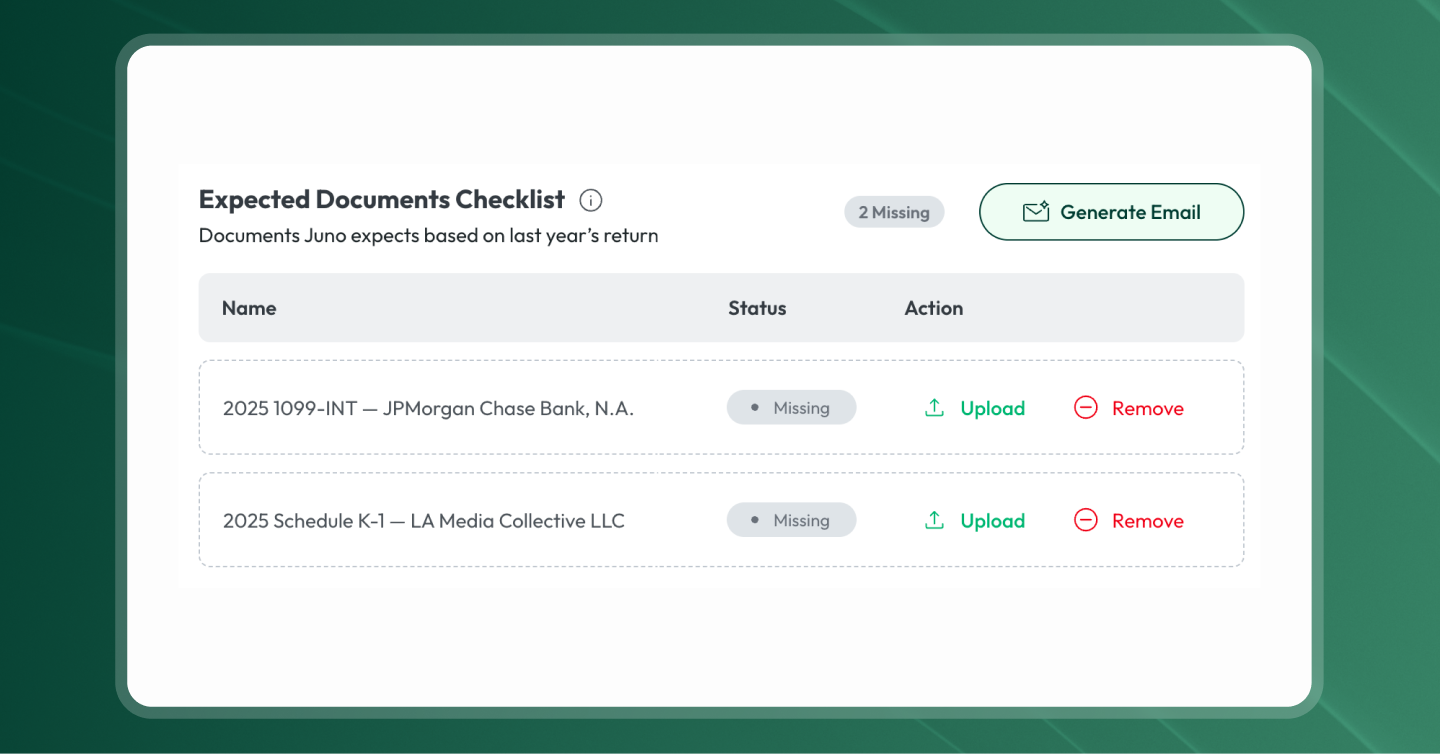
K-1s are one of the hardest documents in any return. Juno reads the full K-1, including page 1 boxes, state pages, footnotes, and supporting schedules. Low-confidence reads are flagged for the preparer to verify, but the K-1 doesn't need to be treated as a special case anymore.
Ready to try AI tax prep on your firm's returns?
If you're evaluating AI tax preparation software, the question to answer isn't whether it's faster. It's whether your firm is ready for the roles to shift. For the deeper mechanics, read What is AI tax preparation?.
Built by a CPA. Trusted by 1,000s of tax pros. 7-day trial. Start 5 free preparations. No credit card required.
Curious what Juno's AI tax prep could do for your firm? Built by a CPA, trusted by 1,000s of tax pros. Book a demo.